Education
ClassStrand
An education workspace for teacher planning, evidence and reporting, with assessment tools still in development.
Shows education admin UX, reporting paths and pre-release workspace design (assessment still in development).
The challenge
Planning, assessment, evidence and reflection still live in separate places. That forces repeated teacher input and makes useful insight harder to find when staff need it.
What we created
One teaching workspace spanning structured planning, evidence and reflection, with leadership visibility designed to support staff decisions — not replace them.
How it helps
Class teachers who plan, assess and gather evidence, and school leaders who need staff-level insight.
Planning
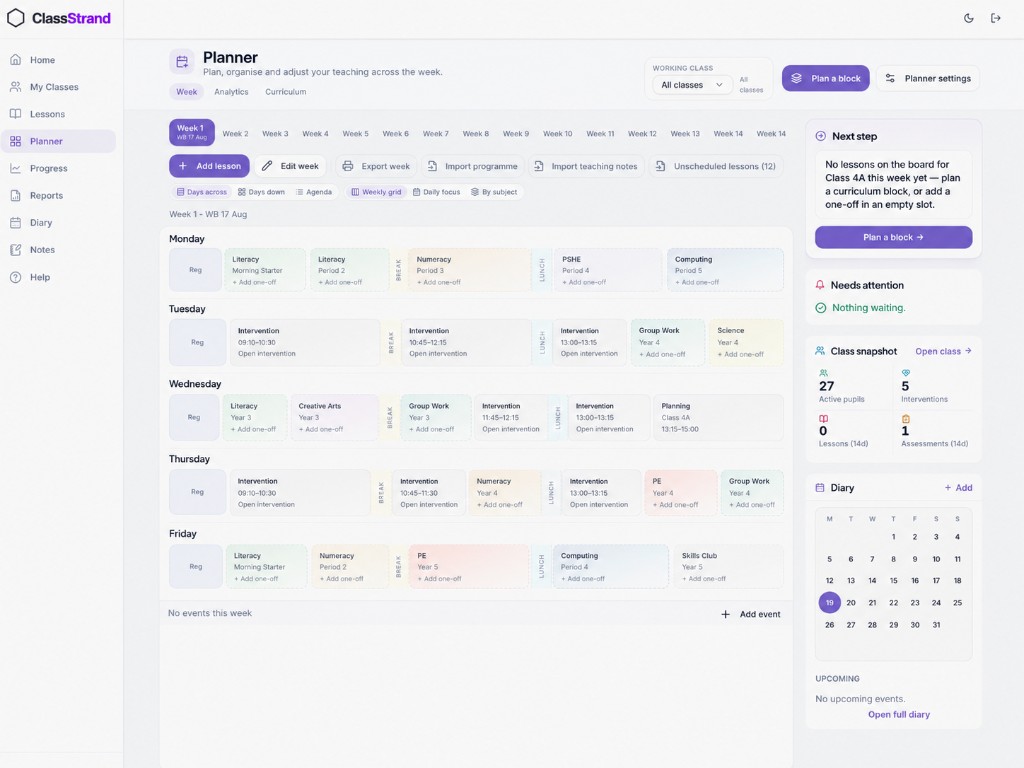
Lesson planning that reduces repeated timetable and curriculum input across the week.
Assessment and evidence
Evidence capture that supports professional judgement — not score-only reporting.
Teacher workflow
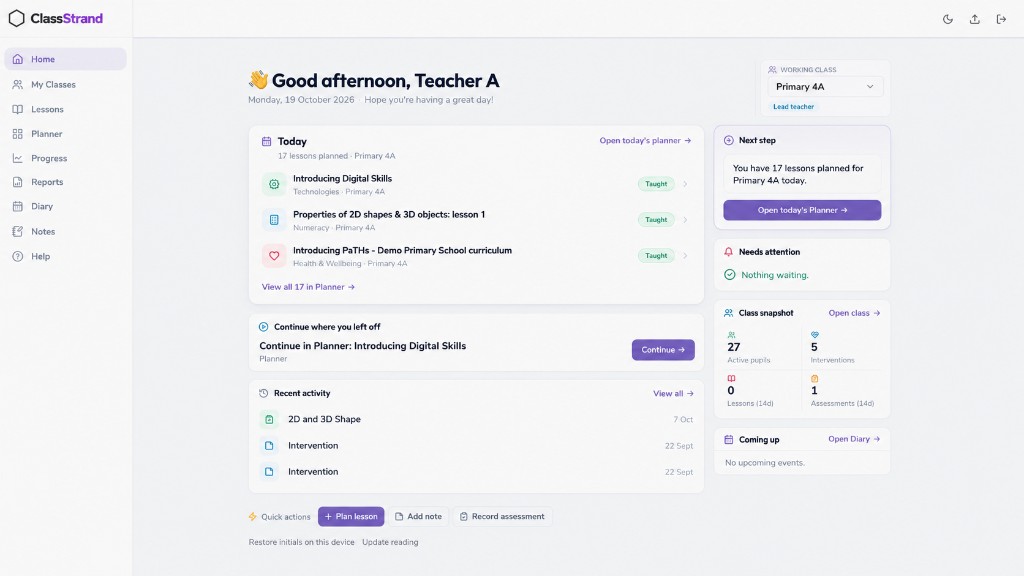
Notes, lessons and daily tools around one class picture instead of separate systems.
Leadership visibility
Staff-level oversight that informs decisions without replacing teacher judgement.
Current status
Deeper assessment workflows and richer leadership insight. Unfinished assessment tools stay separate from the main teacher workspace.
The interface
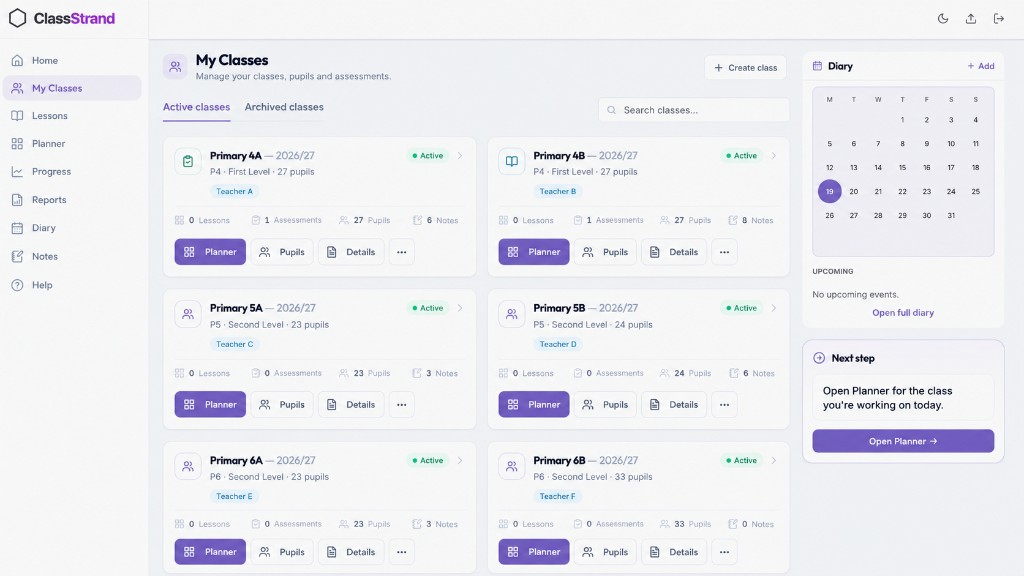
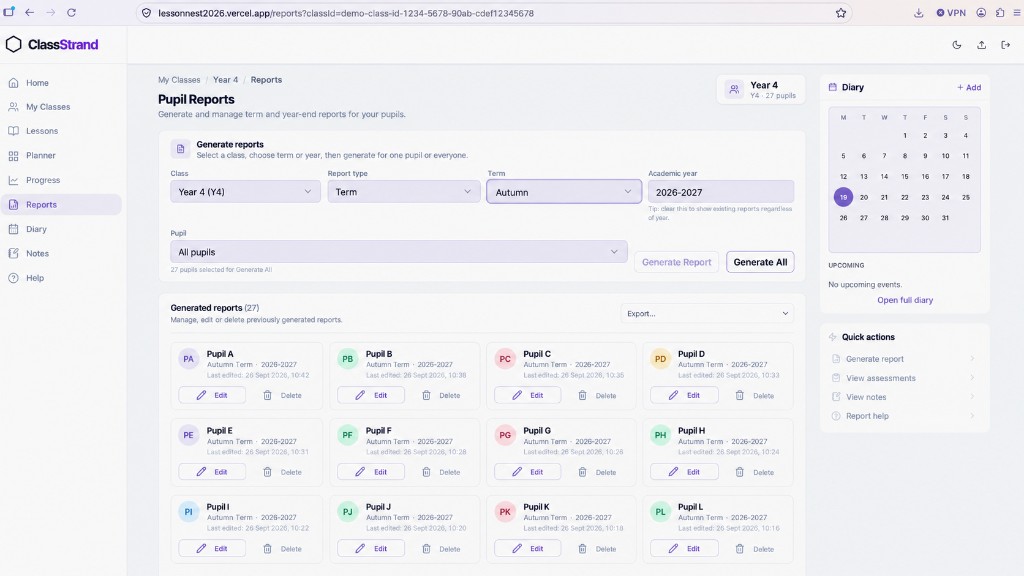
These screens show how planning, class management and reporting connect. The same navigation runs down the left of every page, and the main screens link straight to the next task, such as opening today's planner or continuing a lesson.
Interface demonstrations use anonymised sample information. Some screenshots have been AI-edited to replace identifying details.
Design notes
One place, less repeated input
Planning, notes, assessment, evidence and reporting are organised around one class picture, so timetable and curriculum information is entered once rather than repeated across separate tools.
Supports judgement, does not replace it
Evidence capture is built for professional judgement, not score-only reporting. The Learning Snapshot view summarises evidence already recorded and shows where it is thin, so gaps can be spotted before reporting.
Leadership visibility without scores alone
Leadership views are designed to inform decisions and next steps without replacing teacher judgement or reducing evidence to scores.
Unfinished tools kept separate
Unfinished assessment tools are deliberately kept out of the teacher workspace.
Usability considerations
- — Fewer screens and fewer choices, following the Clarity Over Complexity principle.
- — Optional evidence stays optional: the Learning Snapshot suggests adding it only when needed.
- — Gaps in evidence are surfaced early, ahead of reporting time.
Role and AI-assisted process
Role
We set the problem from classroom practice, and set the priorities and scope. We review and test what is built and direct changes.
How AI-assisted iteration was used
AI tools help build the product. We describe what a teacher needs, review each result in the running product, note what is confusing, repetitive or visually off, and direct the next revision.
Engineering
Spec
- Stack
- Next.js · Supabase · TypeScript · AI
- Industry
- Education
- Status
- In development
- Started
- Aug 2025